
Edits: Video Editor
Screenshots
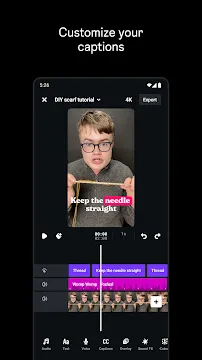
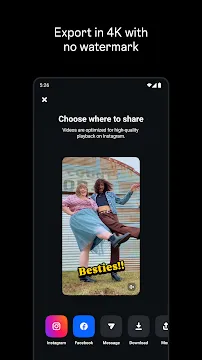
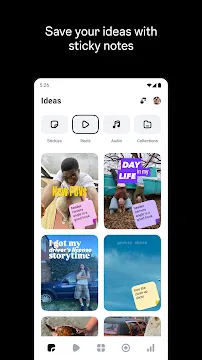
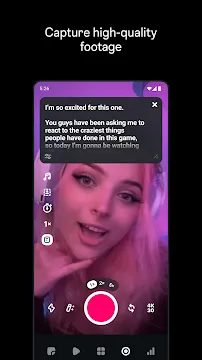
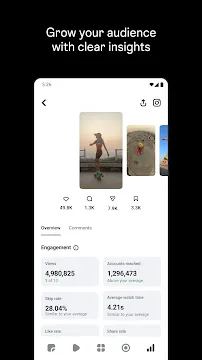
Edits: Video Editor is a creative tool that allows Android users to produce professional content on the go. This application simplifies the process of making high-quality videos for social media. It provides a clean interface that helps both beginners and experienced creators build engaging projects. You can manage everything from raw footage to final exports within a single mobile environment.
Capture and Manage High-Quality Clips
Edits: Video Editor features a built-in camera that supports long-form recording. You can capture clips up to 10 minutes long directly within the app. This feature saves time because you do not have to import files from other folders. The camera settings allow you to adjust the resolution and frame rate before you start filming.
Transitioning from recording to editing is seamless. Once you finish filming, your clips appear immediately on the timeline. You can also manage all your work in a dedicated drafts section. This organization ensures that you never lose your creative progress. Users can keep multiple projects active at once without cluttering their device storage.
Use Precision Editing Tools
Precision is vital when you want to make a great video. This tool offers single-frame precision to help you cut and trim at the exact right moment. You can easily split clips, rearrange their order, and adjust the playback speed. The timeline uses a familiar drag-and-drop system that makes navigation simple.
- Split and Trim: Remove unwanted sections with a few taps.
- Speed Control: Create slow-motion effects or fast-paced sequences.
- Layering: Add video overlays to create complex visual stories.
- Mirror and Rotate: Fix the orientation of your footage instantly.
These basic functions work smoothly without causing the app to lag. You have total control over the flow and rhythm of your content.
Enhance Your Visuals with AI and Filters
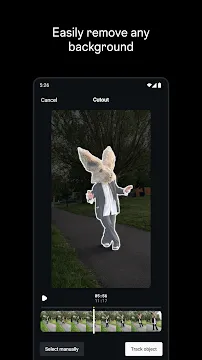
Modern video creation often requires advanced visual effects. Edits: Video Editor includes an AI animation tool that brings static images to life. You can also use the green screen feature to change your background entirely. This allows you to place yourself in any setting without a physical studio.
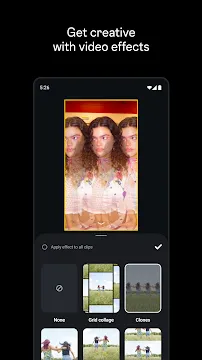
Furthermore, the app provides a wide range of filters and color adjustment tools. You can change the brightness, contrast, and saturation to match your desired mood. If you want a specific aesthetic, you can choose from various preset filters. These tools help your videos look polished and cinematic. The cutout feature is also helpful for isolating subjects and removing busy backgrounds.
Add Creative Audio and Text
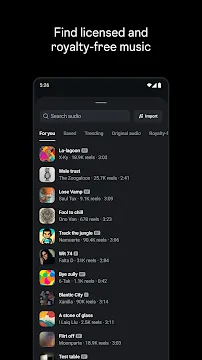
Sound and text are just as important as the visuals. The app provides a massive library of trending audio tracks to help your videos gain more attention. You can also add voice effects or use the audio enhancement tool to clear up background noise.
- Auto-Captions: Generate text automatically from your speech.
- Custom Fonts: Choose from hundreds of unique styles and colors.
- Stickers: Add fun elements to make your content more interactive.
- Keyframes: Animate your text and stickers to move across the screen.
Using these features helps you communicate your message clearly. The auto-caption tool is especially useful for viewers who watch videos without sound. You can customize how these captions look to fit your brand.
Professional Export and Performance
When your project is ready, you can export it in high definition. The app supports 4K resolution and various frame rates up to 60fps. One of the best parts is that your videos will not have any watermarks. This makes your content look more professional when you share it on different platforms.
The rendering process is fast, so you do not have to wait long to see your final product. You can share your videos directly to social media or save them to your gallery. Since Edits: Video Editor is optimized for Android, it handles large files efficiently. You get professional results without needing an expensive computer or complex software.
Final Thoughts
Edits: Video Editor is a reliable choice for anyone looking to improve their mobile video production. It combines simple navigation with advanced features like AI animation and 4K exporting. Because it is free and lacks watermarks, it offers great value for creators. Whether you are making a quick clip or a detailed presentation, this app provides the necessary tools. It focuses on efficiency and quality, making it a top option for Android users in 2026.